
Early access. Its first generation has been in daily use on BC shoring jobsites since July 2026, with more than 10,000 crew hours recorded. Now inviting pilot companies.
TECTVIA FIELD
Construction Field Management
TECTVIA FIELD is a mobile-friendly field operations platform, already used in real construction operations. Foremen and supervisors record daily reports, crew hours, extra work, drawing markups, field measurements and concrete quantities on the phone, and the office follows construction progress in the admin panel. It also covers safety documentation and equipment use. Data entered on the jobsite becomes organized records that office teams can review, filter, and export for payroll and project reporting. The app works as a Progressive Web App with offline capability, so field personnel can record information even when connectivity is limited.
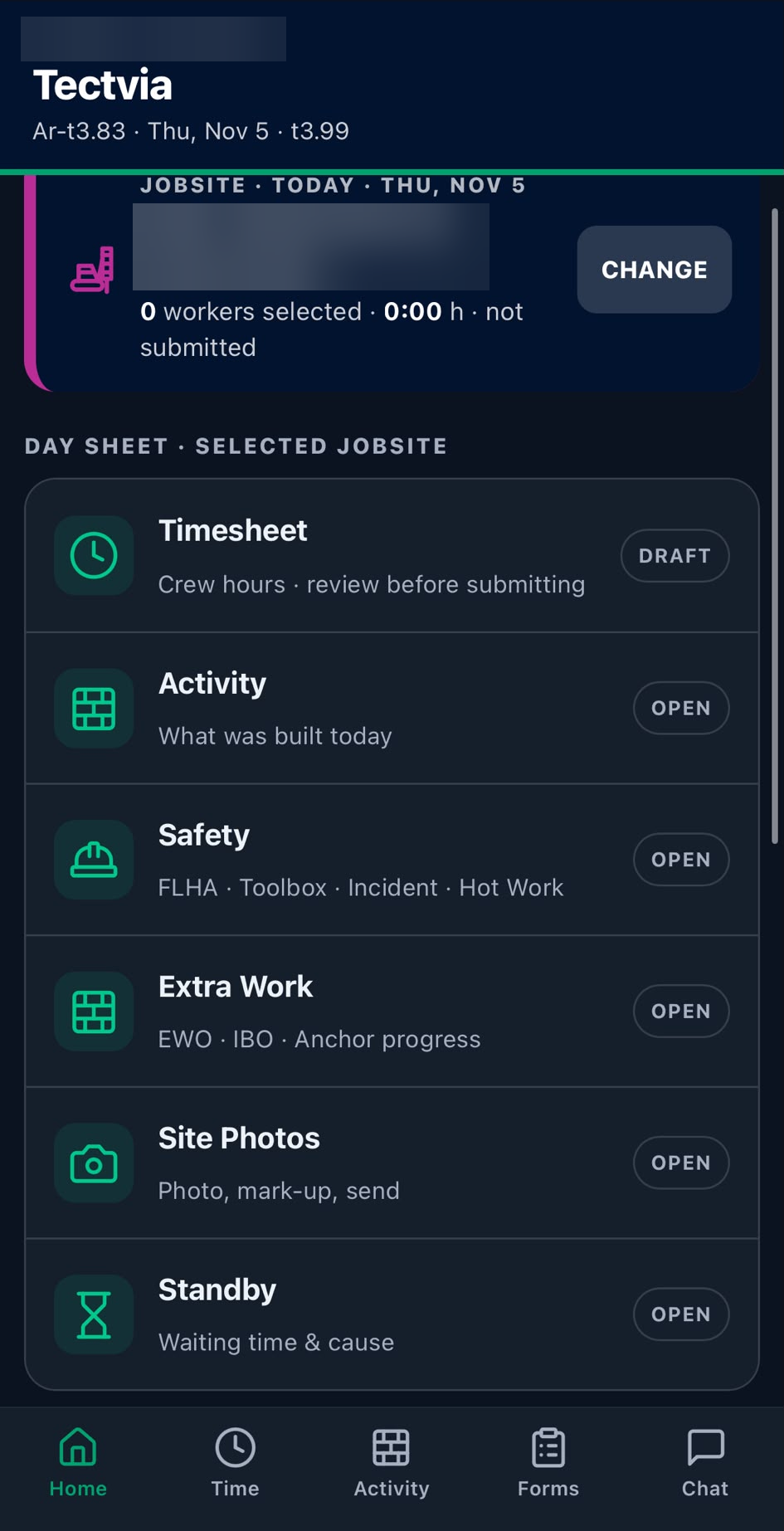
Home: today's jobsite and the day sheet. Real jobsite, names blurred.
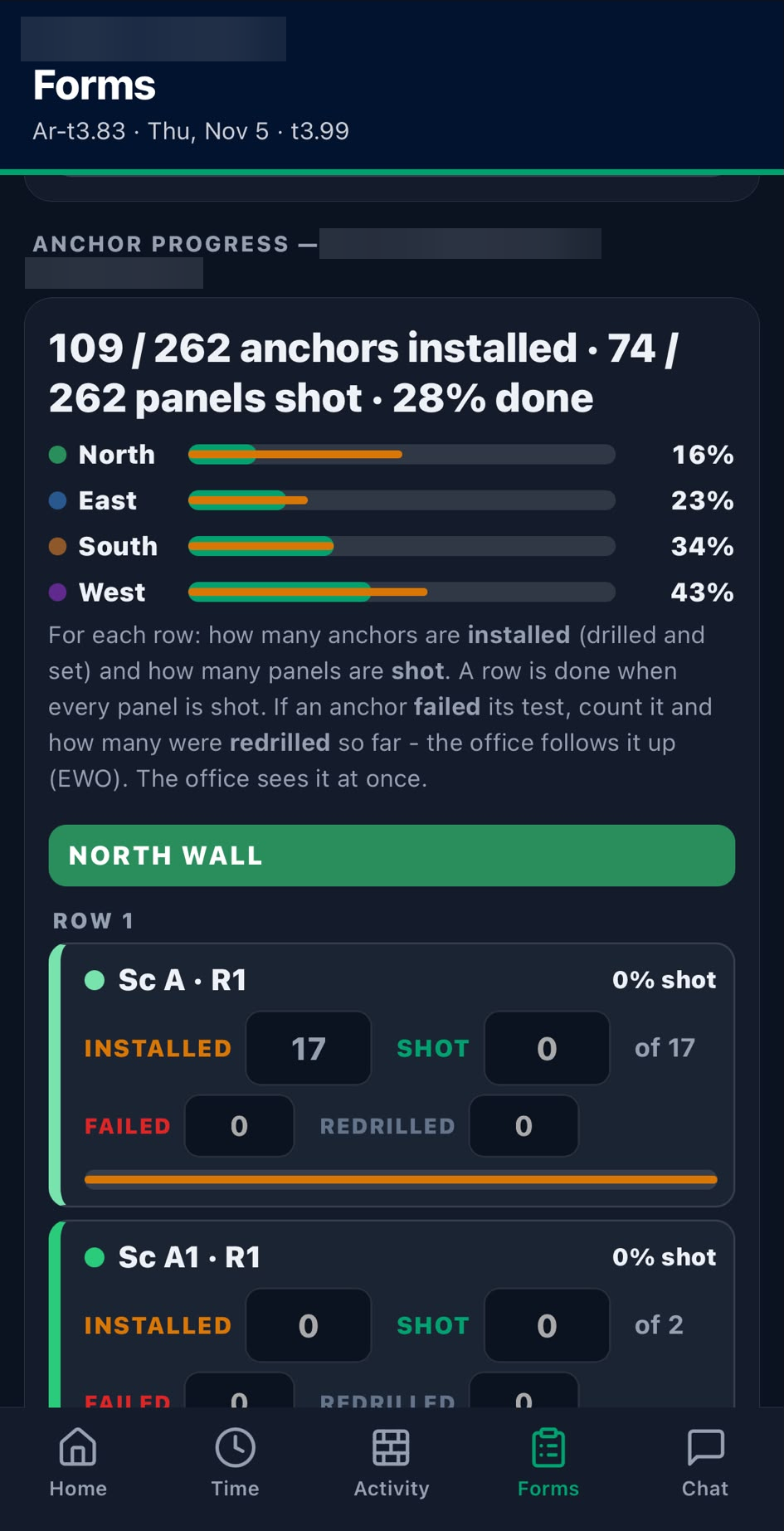
Anchor progress: installed, shot, failed and redrilled, by wall and row
What TECTVIA Field does
Only features that exist in the app today. Screenshots from app version t3.99.
On the phone
Foreman and crew
Timesheet
- Crew hours by jobsite and day: tap a worker on, edit start, end and break.
- Jobsite gate: the foreman confirms the jobsite every day before hours can be entered.
- Paid-break setting per company, override per day.
- Day note, submit the day for approval, day and week totals on the phone.
- My Hours: days already sent, plus a correction request to the office for a locked day.
- Saved on the phone first. If the signal drops, the app keeps trying and the office sees what is still waiting.
Activity: daily field log
- What was built today, by wall, section and row: drilling, shotcrete, testing, pipe pile.
- Issues with notes and photos: weather, equipment, excavation, concrete delivery.
Site forms
- FLHA: 45 hazard checks in 7 groups, task templates that fill hazards and controls, priority rating, crew and GC signatures on the phone, PDF copy.
- Toolbox talk: topic sent by the office from a built-in library, crew signatures.
- Incident report.
- Supervisor only: EWO extra shotcrete (wall, row, anchor, width × height × thickness to m³, photos, GC signature, PDF), IBO extra anchors, hot work permit, anchor progress per row.
More tools
- Supply order: anchors, rebar, plates, mesh, nuts, grout, needed-by date, PDF.
- Equipment tracker: hours, service intervals, jobsite.
- Drawings: plans with pins, areas and a measuring tool.
- Site photos: mark up a photo with arrows, lines, boxes, drawing and text, then send it to the office.
- Memos from the office: the foreman confirms he has read each one, and the office sees who confirmed.
- Standby: waiting time and its cause.
- Chat with the office.
- Field calculator: shoring, metal work, field tools, excavation.
In the office
Admin panel
Timesheet
- Hours and overtime charts by day and jobsite.
- Daily overtime (never weekly) with named rule profiles, for example office or union crew. Regular, 1.5× and 2× split.
- CSV for the accountant.
- Edit hours with a full audit trail: who changed what, when. Corrections inbox.
- Payroll rules the office edits itself. Nothing hard-coded.
Production
- Site activity, wall progress grid (drilling, shotcrete, testing per row), daily field log.
- Estimate vs actual per row: anchors and grout estimated vs installed, % complete, shotcrete % per wall, GC progress report.
- Anchor length, angle and depth for the utility calculator, utility minimum clearance.
- Drawings and markup, supply orders, material deliveries log (shotcrete m³, grout, rebar, mesh), materials ordered summary.
Safety
- Submitted forms: FLHA, toolbox, EWO, incident.
- Licenses and compliance. Toolbox topic library.
Office
- Devices: every phone must be approved by the office. Supervisor role. Revoke instantly.
- Crew, equipment register, jobsites, company documents per jobsite (ECP, SDS, SWP), FLHA card setup.
- Branding: company name and logo. Chat and notices.
- Multi-company: each company has its own activation code and its own data.
Industries
Where TECTVIA FIELD is designed to deliver value.
Product Screenshots
Actual application interfaces.
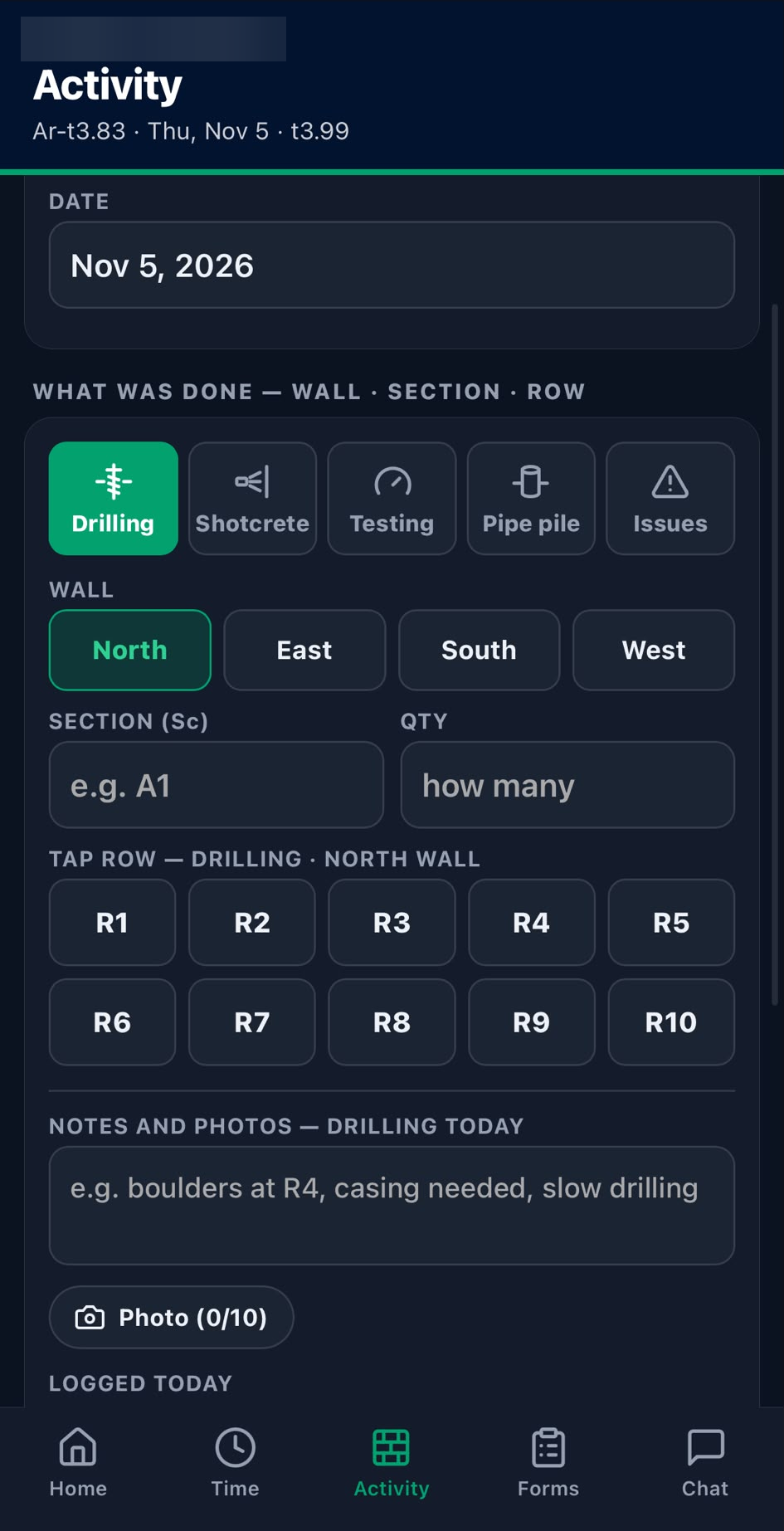
Activity: what was done today, by wall, section and row
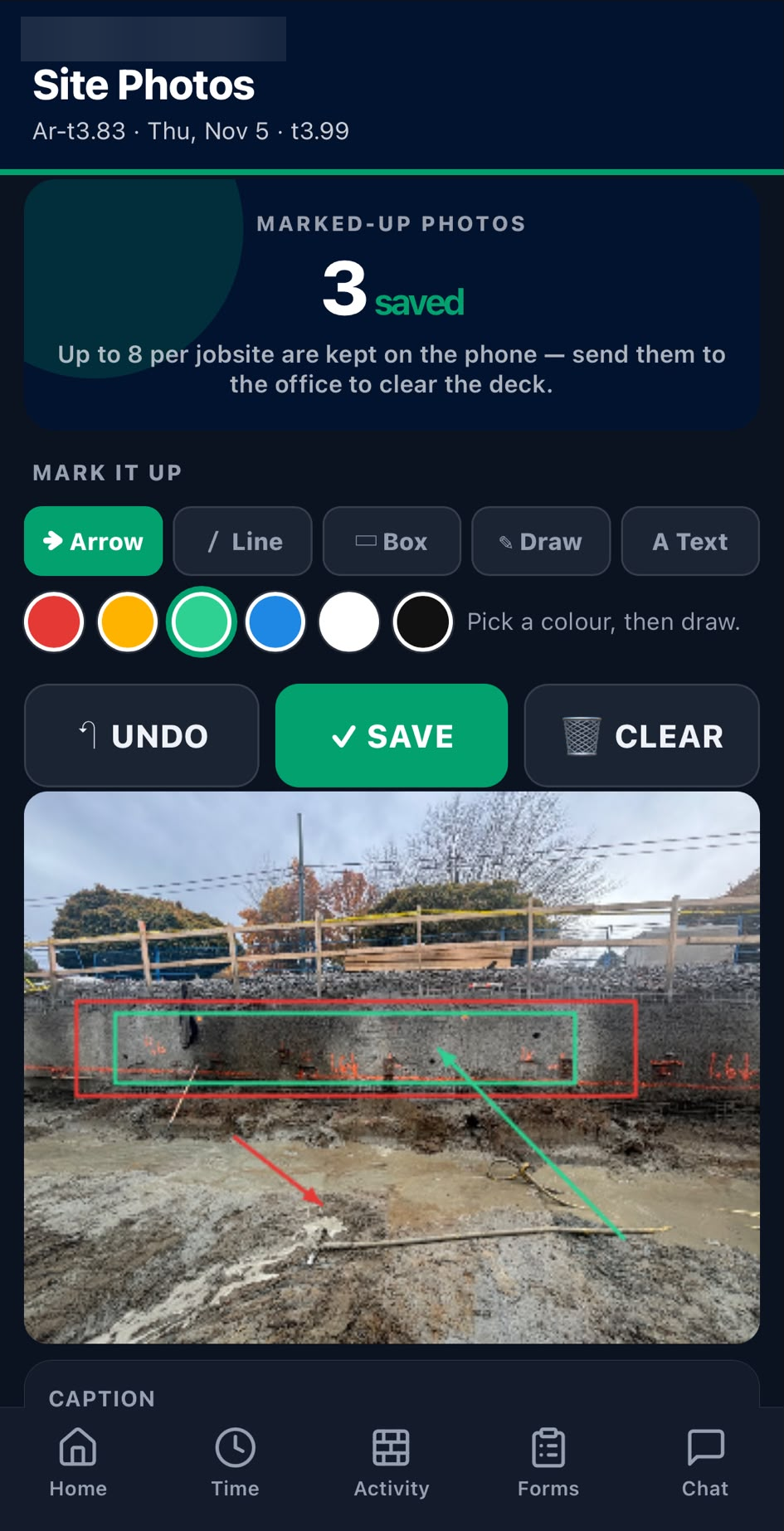
Site photos: mark up a photo, then send it to the office
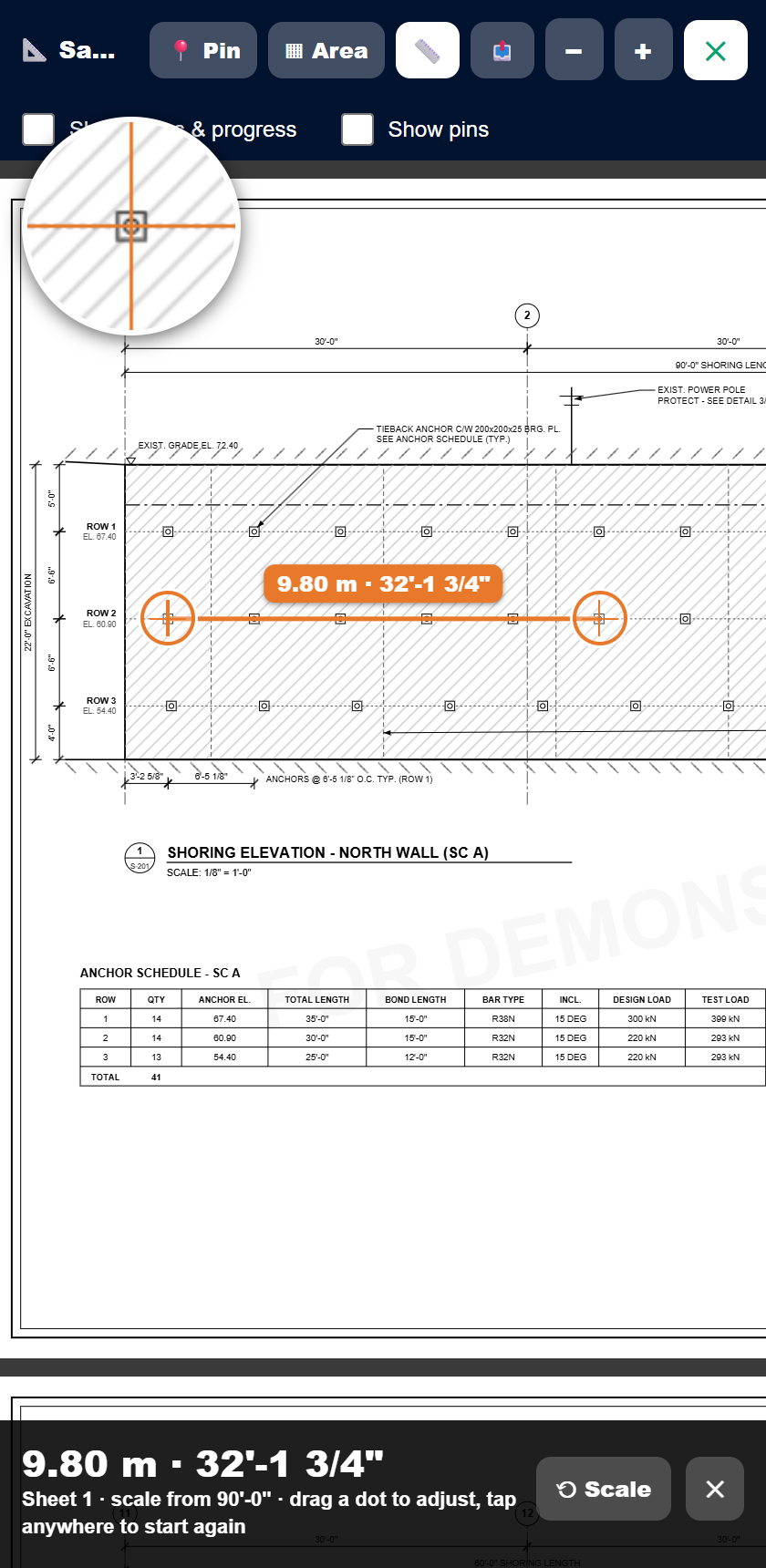
Drawings: the office uploads the PDF set, the crew measures on it, adds pins and areas. Demo drawing.
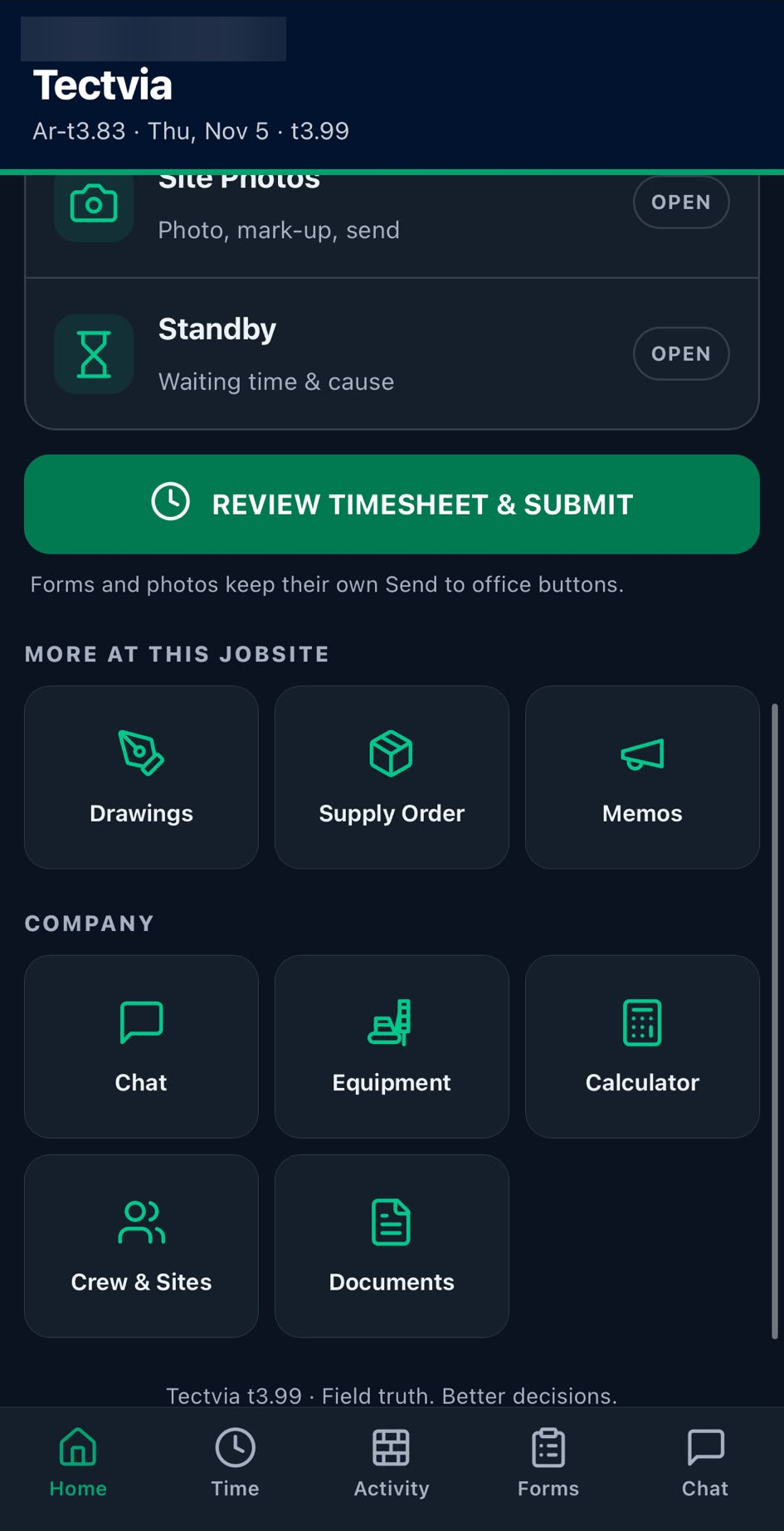
More tools: drawings, supply order, memos, chat, equipment, calculator, documents
The Office Admin Panel
The admin panel, where the office sees what the field sends.
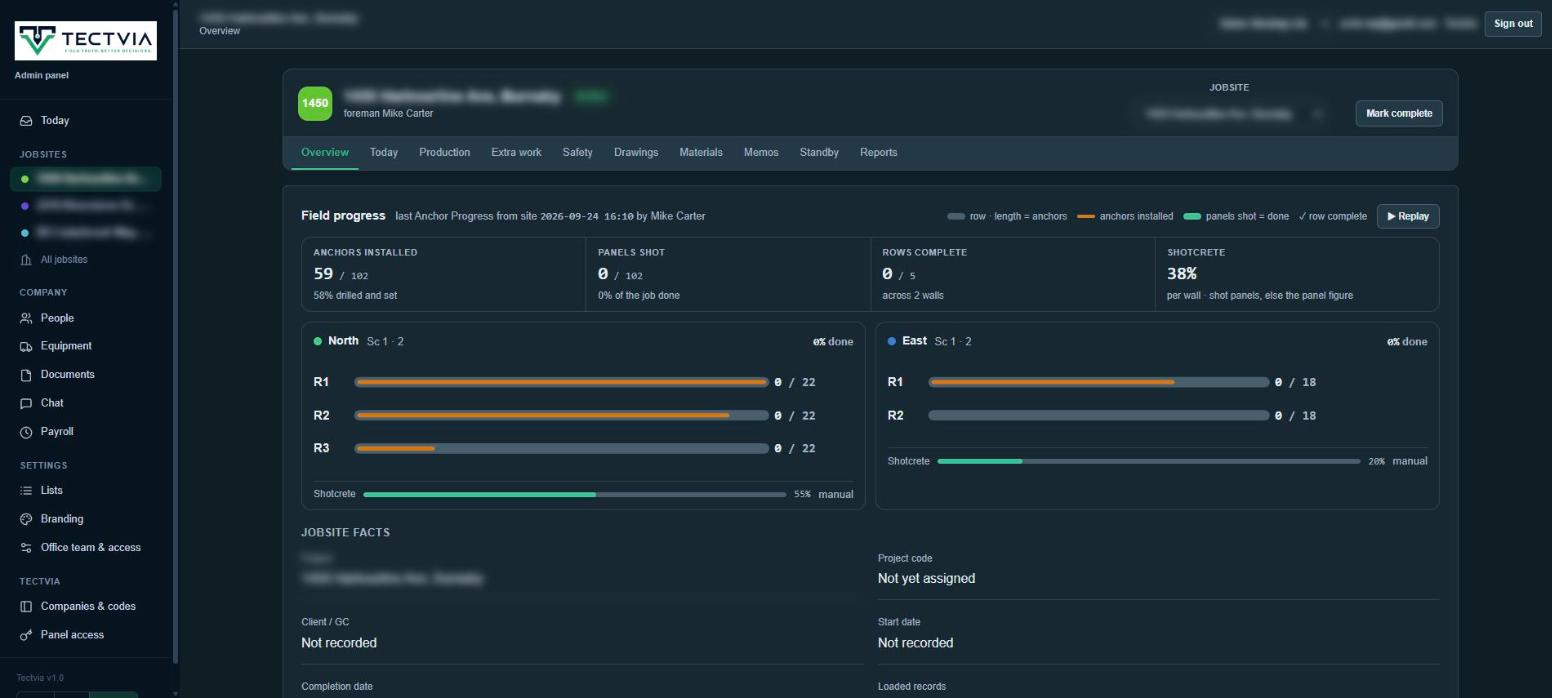
Field progress per jobsite: anchors, panels and shotcrete by wall and row. Demo company.
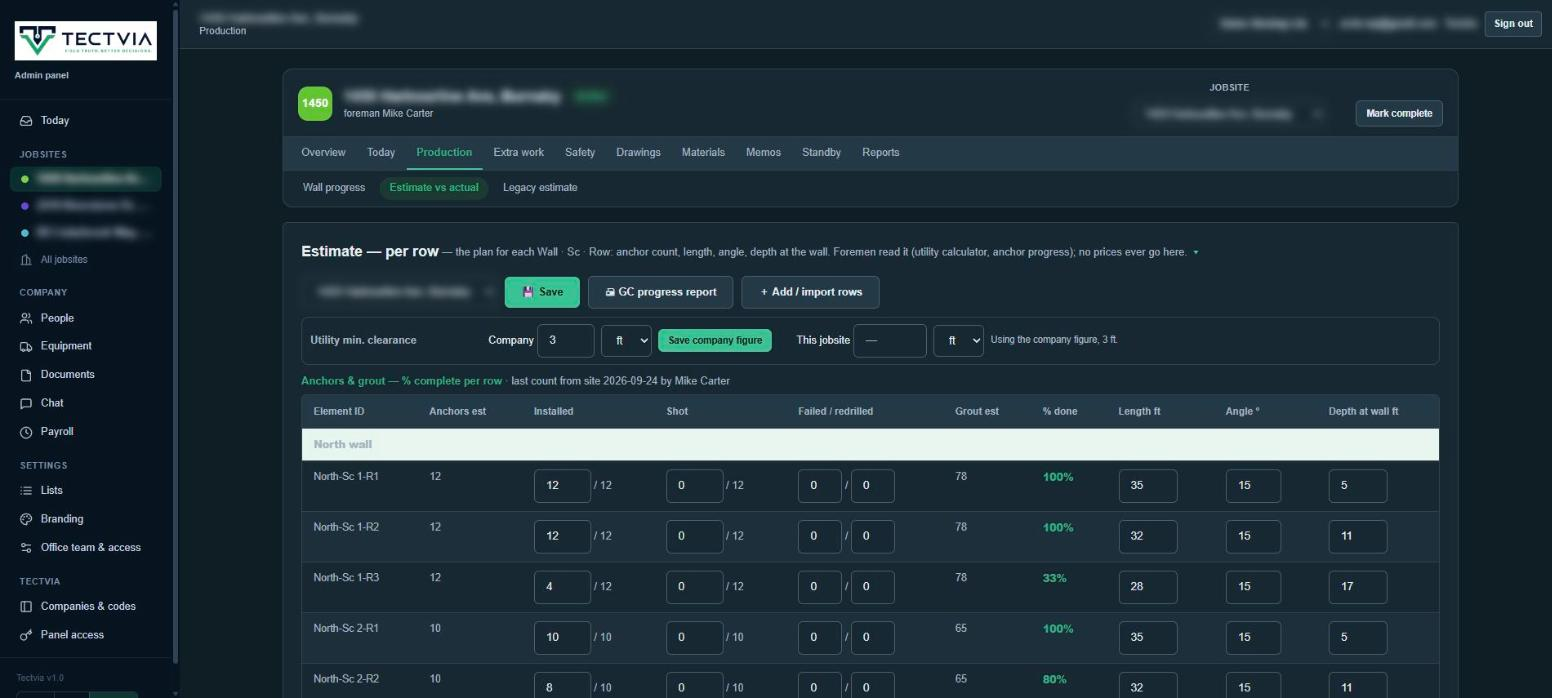
Estimate vs actual per row: anchors, grout, % done, length, angle, depth. Demo company.
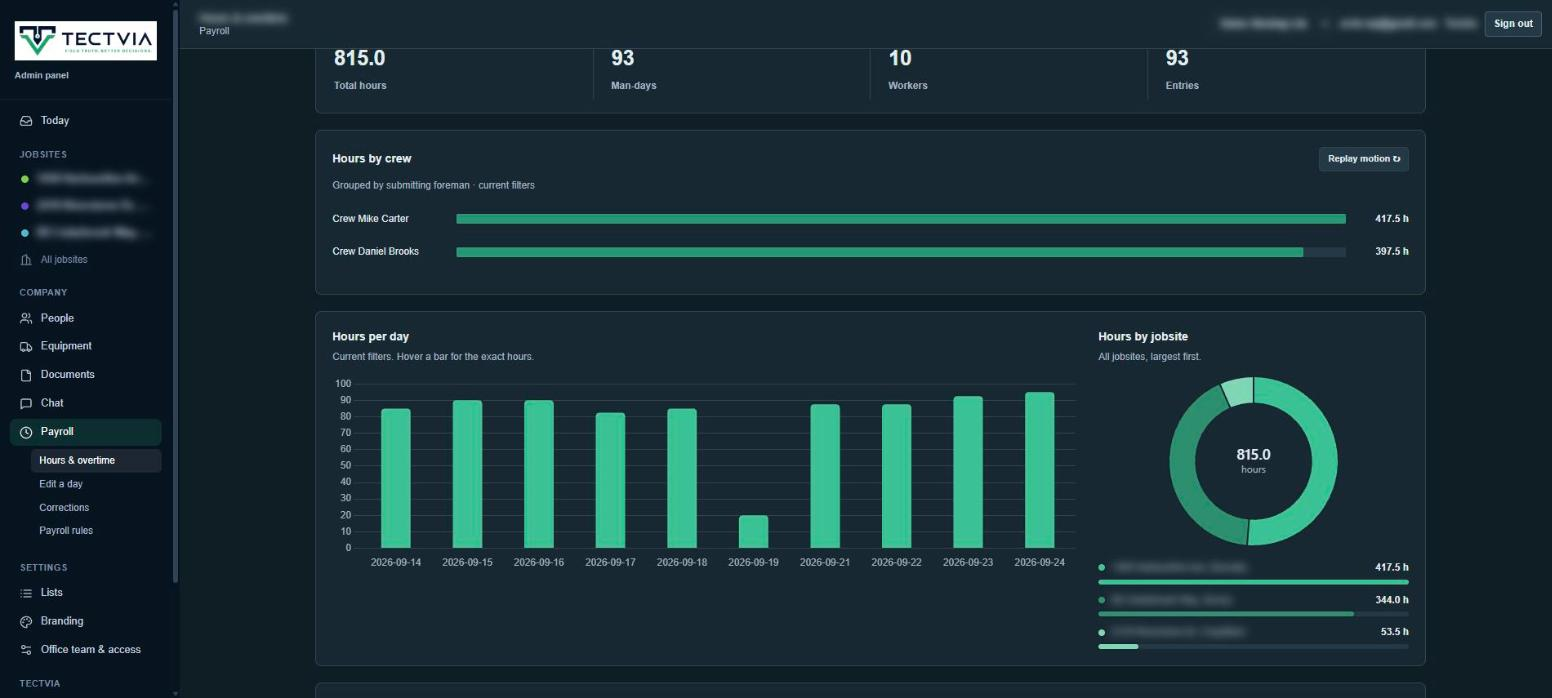
Hours and overtime: by crew, by day and by jobsite. Demo company.